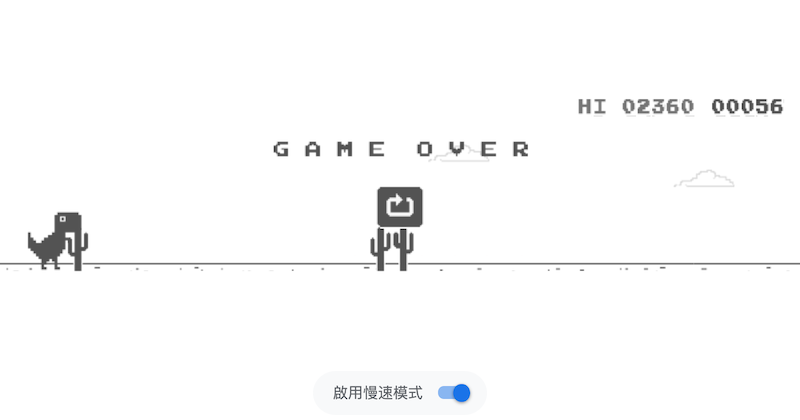
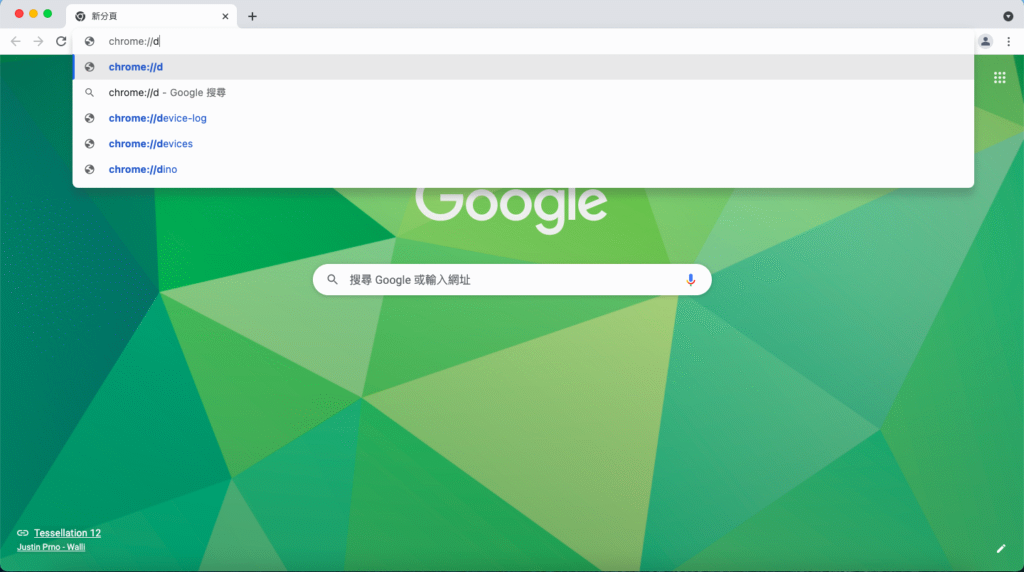
一般人都覺得一定要在離線狀態,才能在chrome玩「離線小恐龍」,不過,其實有網路時也可以玩小恐龍。只要在網址列輸入「 chrome://dino」
就可以暢玩小恐龍遊戲了!
另外,小恐龍還有很多有趣的外掛,今天就要來教大家其中兩種。
第一種:這樣能讓畫面中的小恐龍,在仙人掌前,小恐龍會自動往上跳。
1.開啟在線版小恐龍
2.按下F12,接著按下concole,並複製下方長串文字,貼上到concole下方的空白處,再按下enter,就完成了!
p.p1 {margin: 0.0px 0.0px 0.0px 0.0px; font: 13.6px Menlo; color: #0c6399; background-color: #f5f5f5} p.p2 {margin: 0.0px 0.0px 0.0px 0.0px; font: 13.6px Menlo; color: #262626; background-color: #f5f5f5} p.p3 {margin: 0.0px 0.0px 0.0px 0.0px; font: 13.6px Menlo; color: #d23255; background-color: #f5f5f5} p.p4 {margin: 0.0px 0.0px 0.0px 0.0px; font: 13.6px Menlo; color: #878787; background-color: #f5f5f5} span.s1 {font-kerning: none} span.s2 {font-kerning: none; color: #262626} span.s3 {font-kerning: none; color: #d23255} span.s4 {font-kerning: none; color: #878787} span.s5 {font-kerning: none; color: #0c6399} span.s6 {font-kerning: none; color: #875b2c; background-color: rgba(255, 255, 255, 0.5)} span.s7 {font-kerning: none; color: #850043} span.s8 {font-kerning: none; color: #558a03}
function dinoAI() {
    if (Runner.instance_.horizon.obstacles.length > 0) {
        let dist = Runner.instance_.horizon.obstacles[0].xPos;
        let obj = Runner.instance_.horizon.obstacles[0];
        let type = obj.typeConfig.type;
        let speed = Runner.instance_.currentSpeed;
        if (dist < speed * 22) {
            if (type === 'PTERODACTYL' && obj.yPos < 60) {
                if(!Runner.instance_.tRex.ducking) Runner.instance_.tRex.setDuck(true);
            } else {
                if(Runner.instance_.tRex.ducking) Runner.instance_.tRex.setDuck(false);
                Runner.instance_.tRex.startJump(Runner.instance_.currentSpeed);
            }
        }
    }
    requestAnimationFrame(dinoAI);
}
dinoAI();第二種:這樣能讓畫面上的小恐龍,就算碰到仙人掌,也不會死亡。
1.開啟在線版小恐龍
2.按下F12,接著按下concole,並複製下方長串文字,貼上到concole下方的空白處,再按下enter,就完成了!
window.tempGameOver = Runner.instance_.gameOver;
Runner.instance_.gameOver = function(){}//